
AI-generated images are a powerful tool for reducing visual production costs and increasing brand consistency across SMB websites. To maintain high conversion rates, businesses must blend these synthetic assets with authentic, real-world photography to avoid the “uncanny valley” effect that triggers consumer skepticism.
SMB owners are tired of paying thousands for professional photographers or settling for the same “smiling office worker” stock photos their competitors use. AI image generation offers a tempting escape from these high costs: but if your website looks too “perfect” or slightly surreal, you are likely driving customers straight into the arms of your more authentic-looking rivals.
Visual trust is the foundation of digital sales. While AI can create stunning landscapes or abstract concepts in seconds, using it to represent your actual team or physical location is a shortcut that often leads to a massive drop in conversion.
Does Google penalize websites for using AI-generated images?
Google’s search algorithms prioritize the quality and helpfulness of content over the specific method of its creation. According to current search quality guidelines, AI-generated visuals are perfectly acceptable as long as they provide value to the user and are not used to mislead or deceive. For instance, using AI to create a custom hero image for a blog post about “The Future of Plumbing” is a smart move that improves user experience without violating any SEO rules.
The risk lies not in the “AI” label, but in the lack of originality. If your AI-generated images look generic or fail to support the text, they will hurt your engagement metrics. High bounce rates and low time-on-site are the real SEO killers, regardless of whether a human or a prompt-engineer created the file.
How do I balance AI efficiency with human trust?
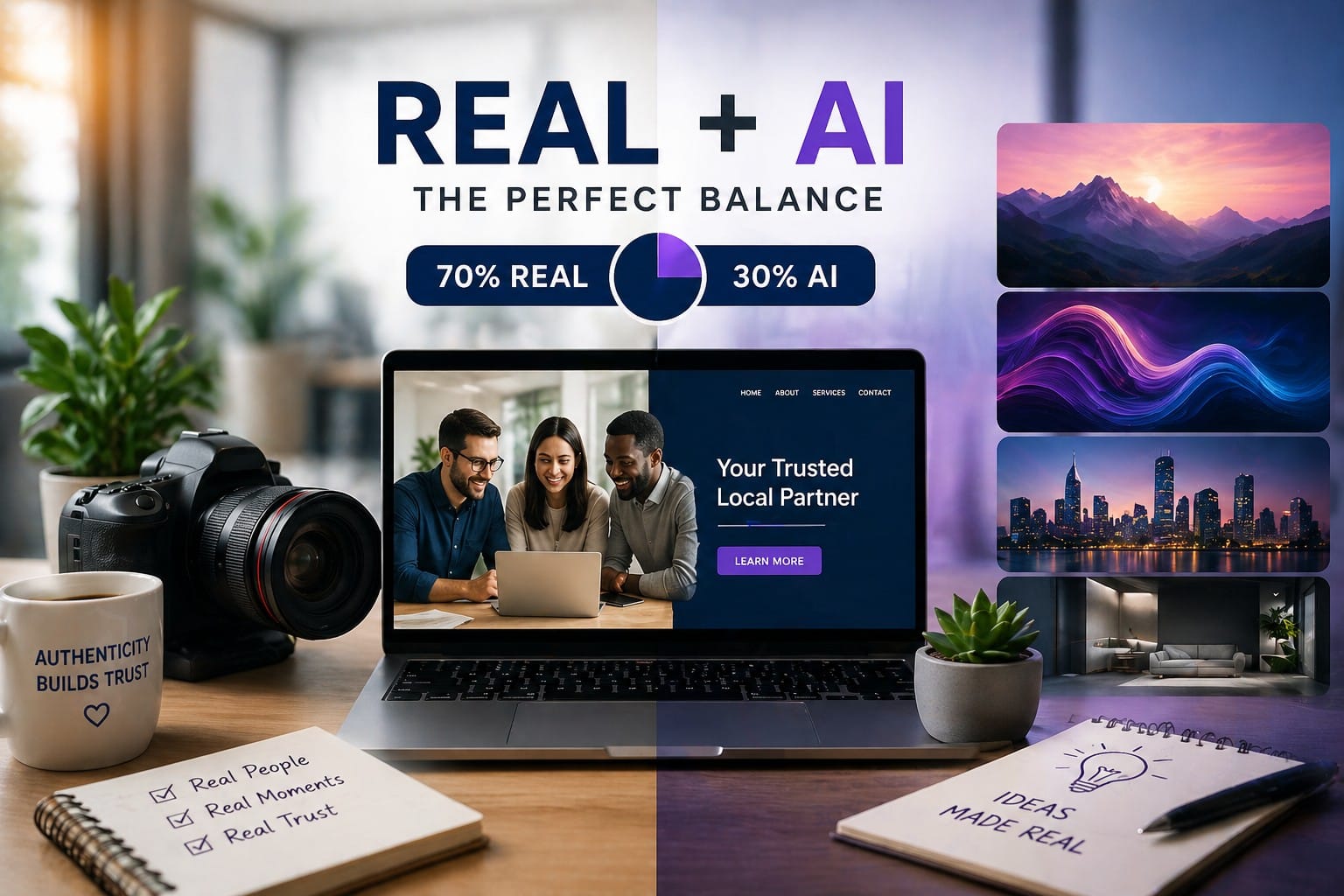
The most successful websites use a 70/30 split between authentic photography and AI-enhanced assets. Use AI for “concept” art, background textures, and illustrative blog graphics where a literal photograph isn’t necessary. For high-stakes areas like your “About Us” page, product demonstrations, or service results, stick to real photos that prove you are a living, breathing business.
Consumers have developed a keen eye for “AI artifacts,” such as weirdly shaped hands or strangely smooth skin. When a customer detects these errors, their subconscious marks your business as “unverified” or “shady.” Use AI to enhance your brand’s aesthetic, not to replace the human face of your company.
The ROI Perspective
Implementing AI-generated visuals can slash your creative budget by 80% or more. Instead of paying for expensive stock subscriptions or half-day shoots for every new landing page, you can generate custom, brand-aligned assets in minutes. This speed allows for rapid A/B testing: you can swap out hero images to see which colors or compositions drive more leads without waiting for a creative agency to get back to you. The money saved on production can then be reallocated to high-intent Google Ads or Local SEO strategies that move the needle.
Get a Visual Edge Without the “Fake” Feel
Navigating the world of AI assets doesn’t have to be a gamble. At UpgradeFor150.com, we help SMBs integrate cutting-edge technology without losing the human touch that closes deals.
Is your website looking a little dated or “too AI”? Let’s fix it. Start with our $150 Professional Visual Audit. We will review your site’s imagery, replace the “uncanny” AI mistakes with high-converting visuals, and ensure your brand looks like a leader in your local market.
Frequently Asked Questions about using AI Generated images.
Q1: Does Google penalize websites that use AI-generated images?
A: No. Google does not penalize AI-generated images directly. Their algorithms focus on the quality, usefulness, and authenticity of the overall user experience rather than how the image was created. However, low-quality or misleading AI images can hurt engagement metrics like bounce rate and time on site, which indirectly affects rankings.
Q2: Can I use only AI-generated images on my website?
A: It’s not recommended. While AI images can save you a lot of money and time, using them exclusively, especially for team photos, “About Us” pages, or product/service demonstrations, often triggers the “uncanny valley” effect. This can make your business look fake or untrustworthy, leading to lower conversion rates.
Q3: What is the best ratio of AI images to real photos for a website?
A: The most successful websites follow a 70/30 rule: roughly 70% authentic photography, especially for high-trust areas like team, testimonials, and physical location, and 30% AI-generated or AI-enhanced assets for backgrounds, illustrations, hero banners, and blog graphics.
Q4: How can I tell if an AI-generated image looks “fake” to customers?
A: Look for common AI artifacts such as deformed hands, unnatural skin texture, weird lighting inconsistencies, overly smooth or plastic-like faces, and surreal proportions. If customers notice these flaws, it subconsciously damages trust in your brand.
Q5: Where should I safely use AI-generated images on my website?
A: AI works best for:
- Hero banners and background textures
- Blog post illustrations and concept art
- Abstract or futuristic visuals
- Decorative elements
Avoid using AI for team member photos, real customer testimonials, before-after results, or images of your actual office/store.
Q6: Will using AI images hurt my conversion rates?
A: Yes, if overused or poorly executed. Many websites see a drop in trust and conversions when AI images look too perfect or unnatural. However, when blended properly with real photography, AI can actually improve conversions by allowing faster testing and better brand consistency.
Q7: How much money can I realistically save by using AI-generated images?
A: Many SMBs reduce their visual content costs by 80% or more. Instead of paying for stock photos, hiring photographers, or doing multiple shoots, you can generate custom, on-brand images in minutes.
Q8: How do I make AI images look more realistic and professional?
A: Use detailed prompts, consistent branding, colors, fonts, style, post-processing edits, and always combine them with real photos in key trust-building sections of your website.
Q9: Is it better to hire a professional photographer or use AI?
A: You don’t need to choose one or the other. The smartest approach is to use real professional photography for high-trust pages and AI for supporting visuals. This gives you both authenticity and cost efficiency.